
Operation
The documentation of the control system in HERA is provided directly within the application via the "Anleitung" (Instructions) menu item.
Mode-Dependent Display of Controls
The visibility of the respective control commands is directly linked to the central 2D/VR switch of the main menu. This ensures that users always receive only the information relevant to their current setup:
- Standard View (2D): When accessing the instructions in the default mode, the written explanation for navigation and interaction on a classic screen (mouse and keyboard) is displayed.
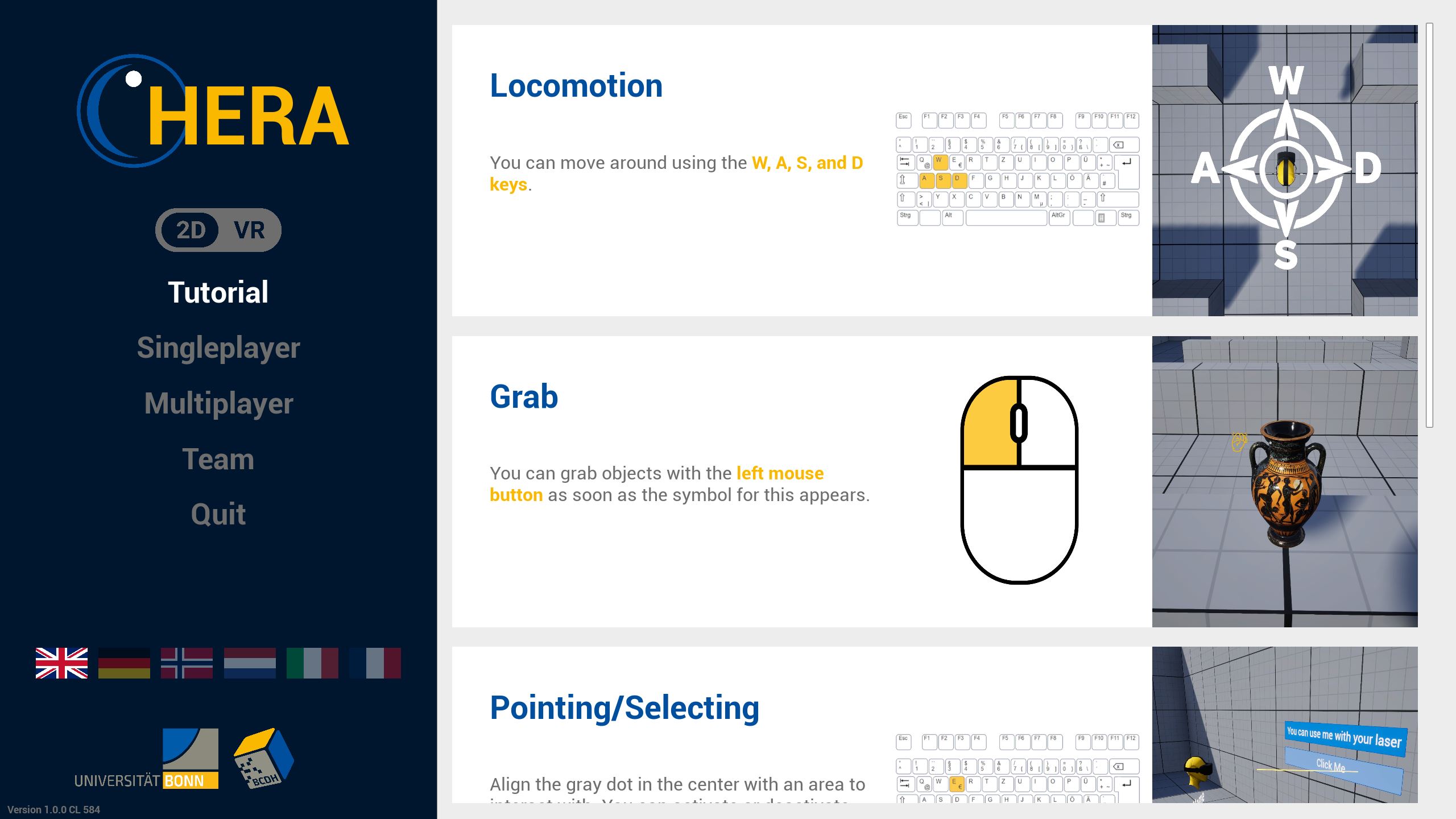
- VR View: For the VR controls and corresponding controller mapping to become visible, the mode switch in the menu must be actively toggled to VR. Only through this activation do the instructions switch to the specific explanation for the VR motion controllers.
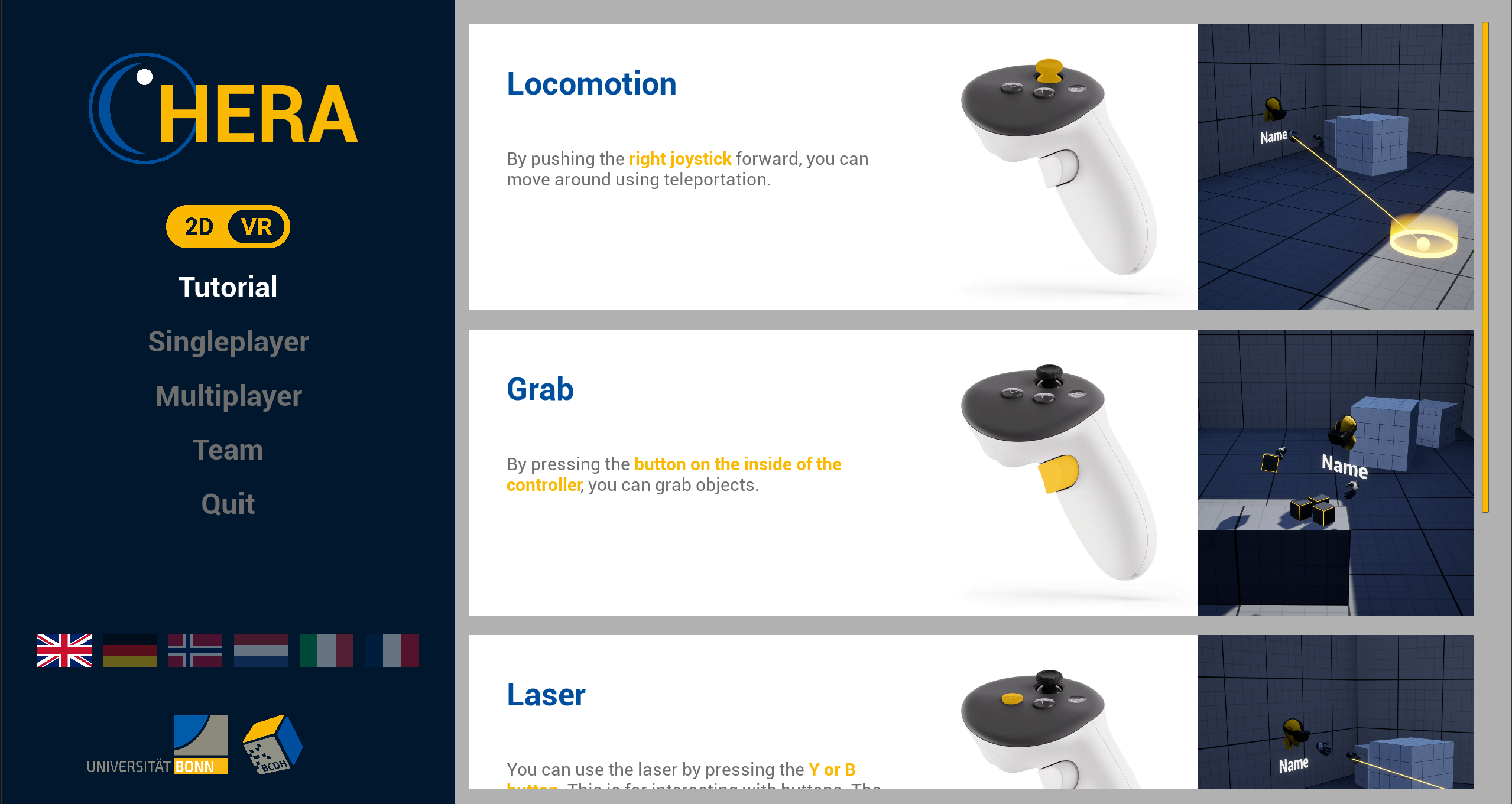
Scope of Functions and Future Development
These two overviews map all functions necessary for the complete operation, navigation, and interaction within the virtual learning worlds.
As application development progresses, new features will be defined or existing interaction paths expanded. The new features will be integrated directly at this central point in the instructions. This ensures that the interface remains the consistent and sole source of information for the operation of HERA for users.