
Sketchfab Connection
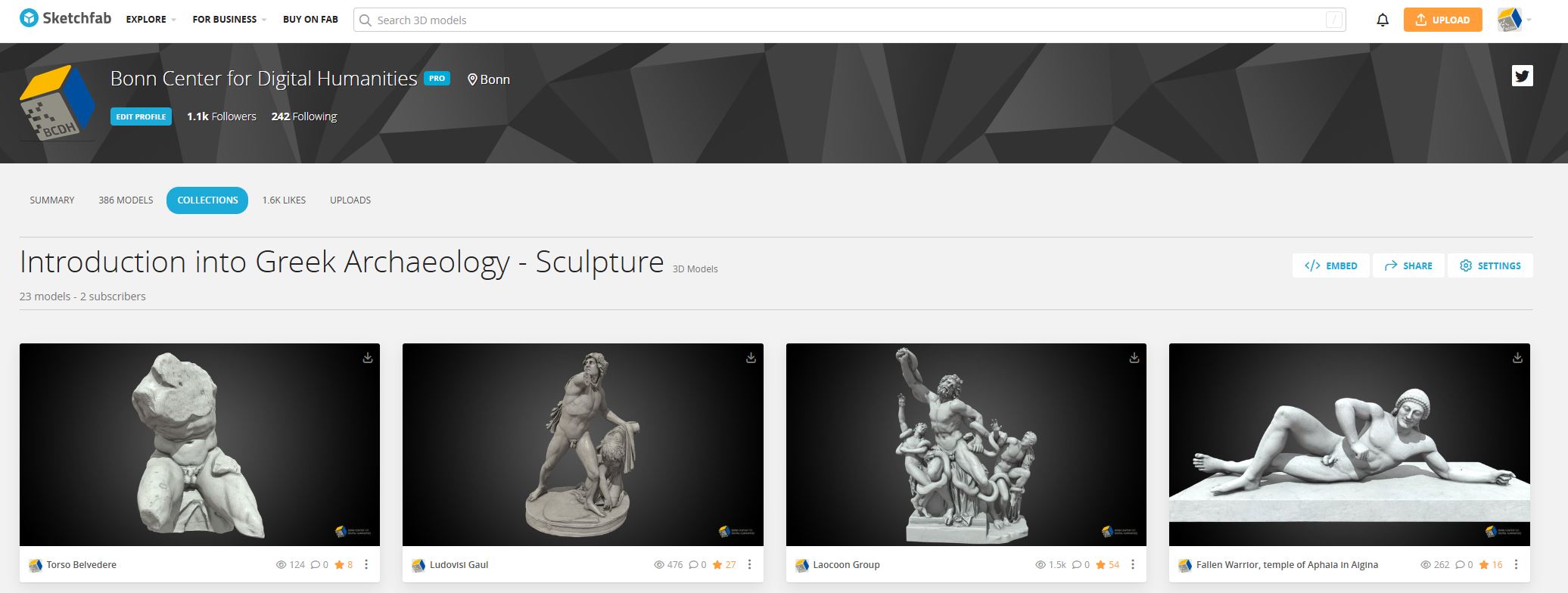
The HERA application has a direct interface to the official BCDH account on Sketchfab:
Model Selection and Limitations
The integration of the catalog into the application is currently subject to the following technical conditions:
- Binding to Collections: Only the 3D models that are stored on Sketchfab in the corresponding Collections are visible and available in the application. Models outside of these collections cannot be loaded.
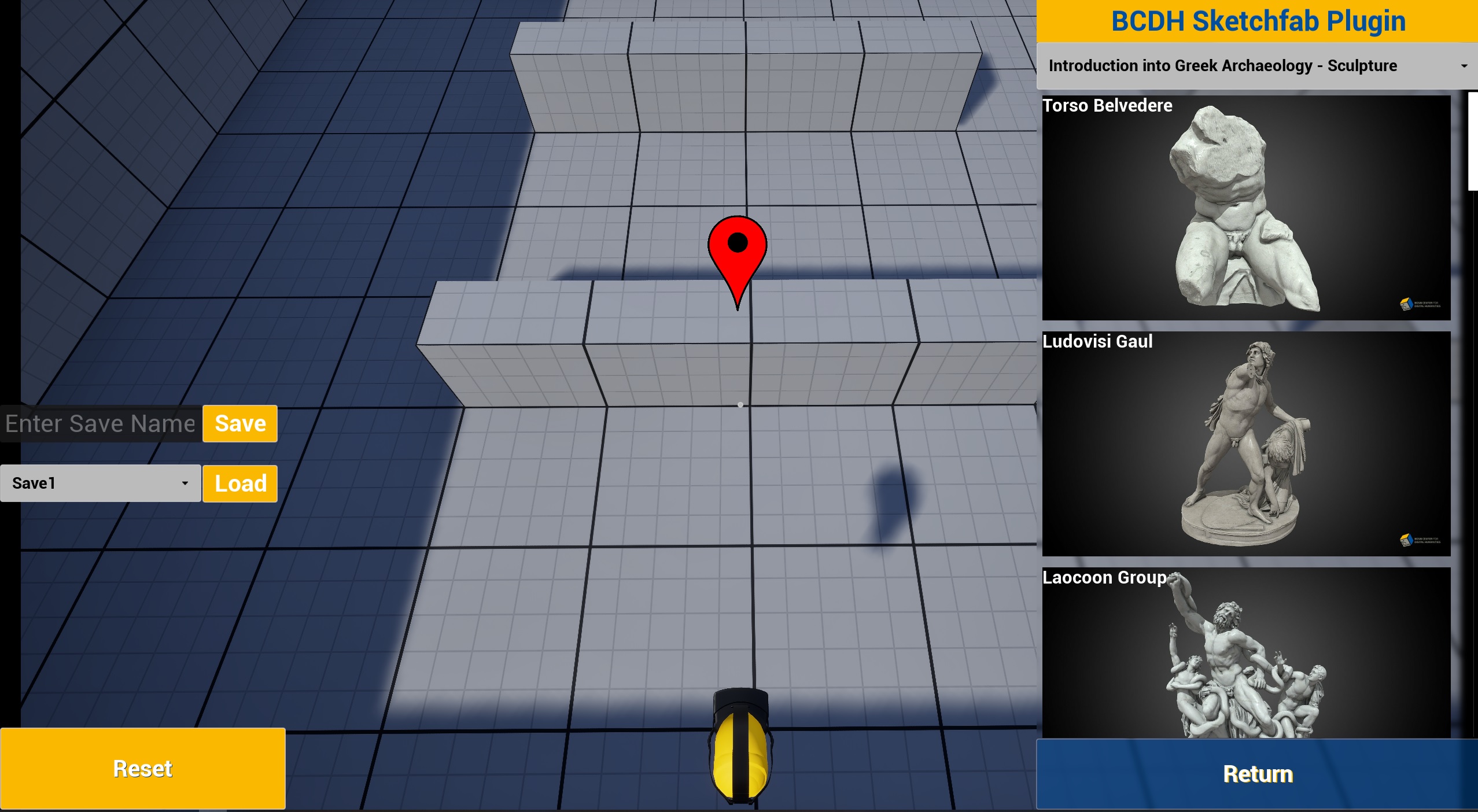
- No Search in HERA: A free-text search within the software is currently not implemented. Model selection is purely visual via the displayed thumbnail images and names.
- Workflow Recommendation: It is recommended to browse the Sketchfab page in a regular web browser beforehand to familiarize yourself with the available models and their names.
Download and Runtime Processing
Placing models in the virtual space is intuitive and runs in the background as follows:
- Drag and Drop: Models are simply dragged and dropped from the plugin menu directly into the virtual environment.
- Real-Time Download: The download of the model starts immediately in the background. The loading time depends directly on the bandwidth of the internet connection.
- Runtime Optimization: After downloading, the object is processed in real time. The textures are automatically optimized for runtime and the necessary collision geometry is generated so that the models are physically interactable in the space.
- Stability: This entire background process is implemented asynchronously; the application continues to run stably and smoothly during the loading and processing.
Important Note for Multiplayer Operation
Loading 3D models is fully supported in multiplayer mode, but requires increased attention regarding network load in a university context.
If the application is used in lectures, all computers involved are usually in the same network (e.g. eduroam), whose speed can vary greatly depending on usage and location. In multiplayer, the following synchronization logic applies:
⚠️ The Multiplier Effect: When one person loads a model into the scene in multiplayer, this download is automatically triggered for all other participants of the session as well.
- Example 1: 5 laptops are in the same room/network. One person loads a model. This results in 5 simultaneous downloads in the same network.
- Example 2: If each of the 5 people chooses and loads only a single model at the same time, this leads to 25 simultaneous downloads.
Recommended Behavior: To prevent overloading the Sketchfab API with too many simultaneous requests and to avoid drops in network speed, models should be loaded with care and not indiscriminately in multiplayer mode.
Save and Delete Functions
To manage the loaded objects, the interface offers two central functions:
- Save & Load Positions: The exact positions of the loaded models can be saved in HERA. If such a save state is loaded at a later time, HERA automatically triggers the download of all 3D models placed at that time and positions them exactly at their saved coordinates.
- Delete Models: All dynamically loaded 3D models can be removed from the current environment simultaneously with one click via a dedicated button in the interface.